


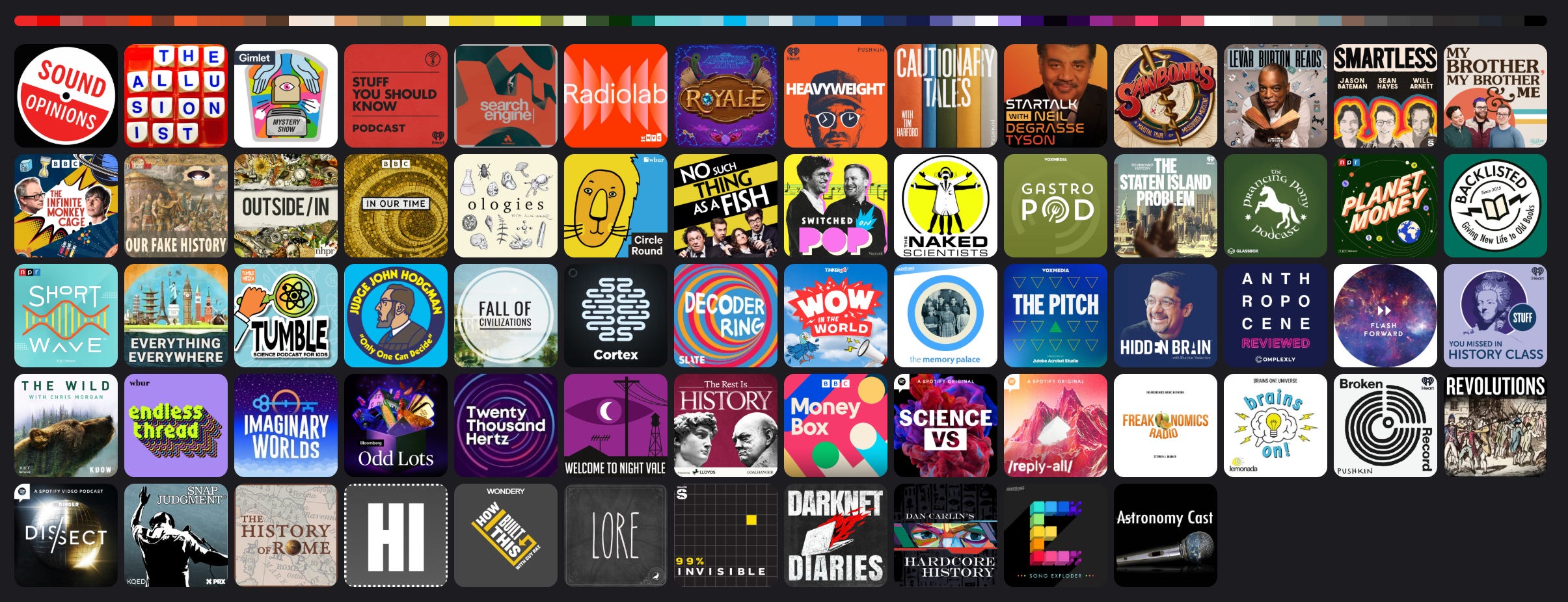
I’ve been listening to podcasts for a long time. Not as long as some I’m sure, but I discovered them in college and have been consuming them regularly since at least ~2010, starting with The Moth, This American Life, and Podcast Beyond. I suppose the first place I ever listened was iTunes on the Mac, but the first podcast app I actually used and cared about was DoggCatcher. This was years before most podcast apps we use today existed. Eventually, I graduated to PocketCasts when they were still an indie app. Then I wrote an Android app, Aurelian, and now run Castro.
So my history was scattered across a bunch of apps. I recently undertook a project to reconstruct as much of that listening history as I could in order to keep that data with me. Since podcasts are built on open frameworks, it just feels appropriate that none of this should be locked behind a proprietary app, even if I own the app.
Unfortunately, all my DoggCatcher listening is lost to history, like the app itself. For PocketCasts though, I was able to export actual listening history going back to 2018, and played episodes going back to 2015. So while I’d love to have a few more years, a decade of data feels pretty good. I started using Aurelian around 2022, and the last couple years I’ve been primarily using Castro. Using the method below, I was able to take the data from all three apps and build out one giant library over the past decade.1
Doing the extraction
So the first thing we’re going to want to do is extract all our data from all the podcast apps we’ve ever used. Depending on the app this is either very easy or a little involved. A podcast is really just a URL with a flat XML file. Within that file, for the purposes of this exercise, there are only a few things we care about:
Feed title
Feed artwork
Items
Item artwork
GUID
Title
Published date
Media URL (enclosure)
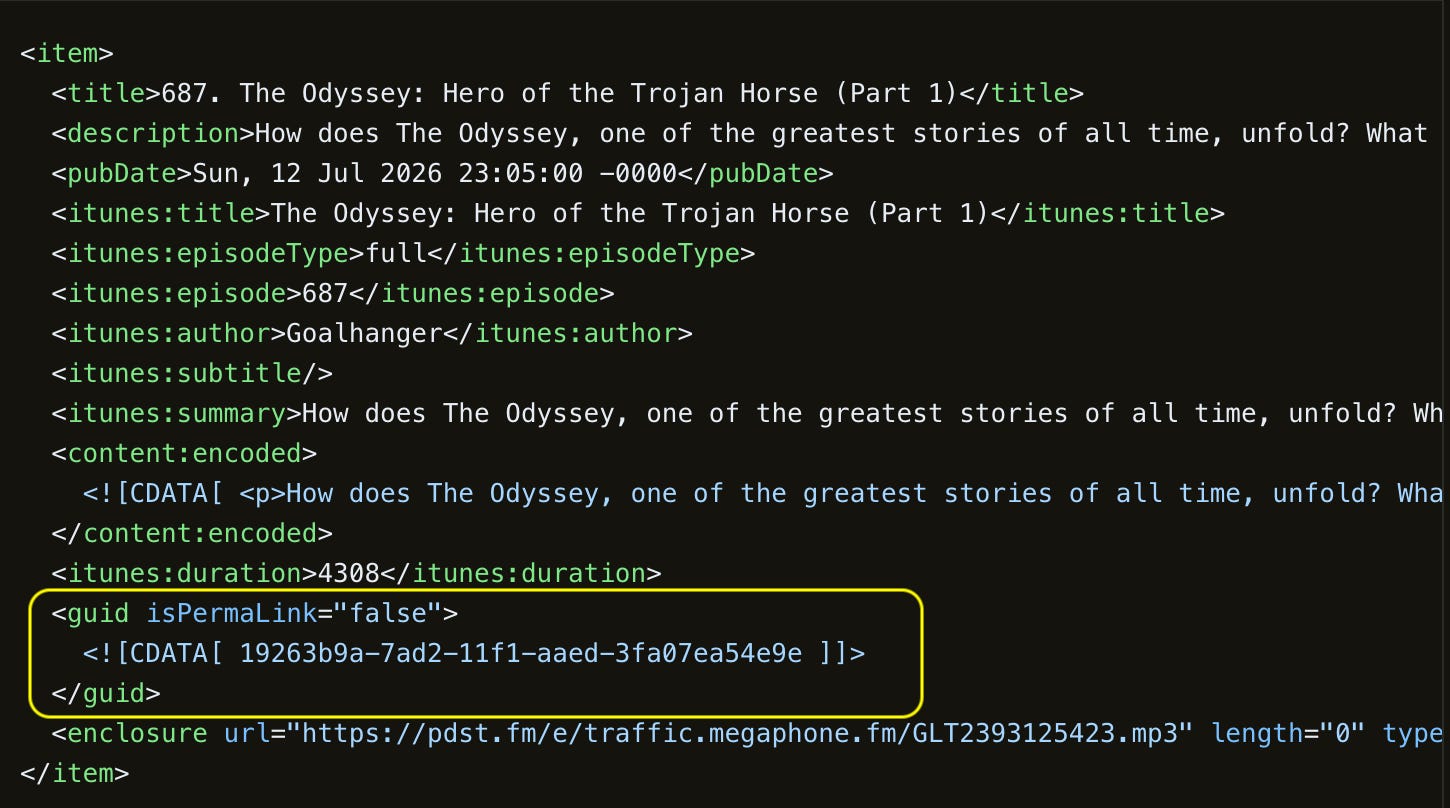
Because this is literally all a podcast is, any podcast app is going to store this information, either directly or indirectly. GUID is the most important attribute here. It’s the easiest way to keep track of episodes in the feed. Once I have the podcast URL and GUID from an episode, then it becomes trivial to map it from one app to another, and I know exactly what we’ve played, queued, etc. The first step is going to be going through all the apps you’re using and exporting each database:
Castro
Castro stores a backup file with the extension .castrobackup in your iCloud drive. This file is JSON, and lists only Castro public IDs. These look like the GUID above, but they’re actually internal UUIDs and don’t map onto the feed in the way we’d like. Luckily, Castro does expose this data, either through public REST APIs or Castro MCP. So you can access which Castro episode you’re looking at in either direction. If I have a Castro ID and I want the full episode data:
  Input (episode)
  {
    "public_id": "0d6d1c14-23b4-4cbc-96b2-106c06942635"
  }

  Output

  {
    "public_id": "0d6d1c14-23b4-4cbc-96b2-106c06942635",
    "feed_guid": "19263b9a-7ad2-11f1-aaed-3fa07ea54e9e",
    "podcast_public_id": "3878bc03-96bc-4457-b29c-1b1bdbebccf6",
    "short_id": "r7SxXj",
    "title": "The Odyssey: Hero of the Trojan Horse (Part 1)",
    "podcast_title": "The Rest Is History",
    ...
  }
That public_id is what you’re going to see in the Castro backup, and mapping in the other direction is equally straightforward. This episode is also available here.
Podcast Republic
Open the app settings and go to “Backup & Restore”. You can export the full SQLite database, which contains feed URLs and GUIDs, giving you everything you need.
AntennaPod
Likewise, this has a Database export feature under “Backup & restore” and contains this information directly.
Apple Podcasts
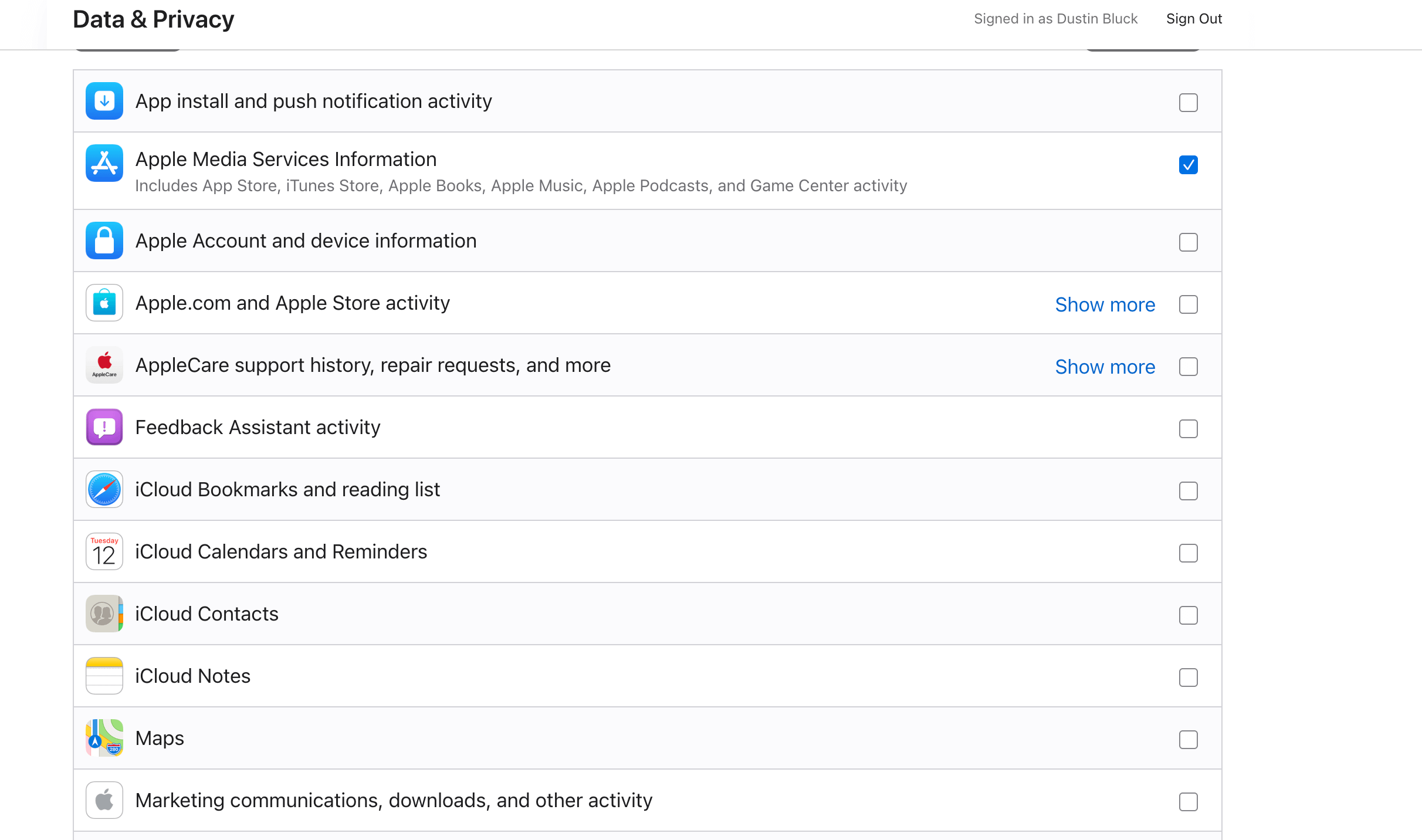
If your iPhone and Mac are syncing, you may be able to find the database at $HOME/Library/Group Containers/243LU875E5.groups.com.apple.podcasts/Documents/MTLibrary.sqlite. Then you may be able to use the fact that Apple generates identifiers like md5(feed_url + guid)to get something useful out of this. But if you want a more comprehensive one-time data export, it’s easier to go to privacy.apple.com, export your data, and ensure you check “Apple Media Services Information”. That’s going to give you at least feed URLs, and it’ll likely be enough to reverse engineer your playback history.
PocketCasts
Go to Profile Tab → Help & Feedback, then in the menu “Export database”. Unfortunately, PocketCasts’ database does not list feed URLs or GUIDs, only their own public IDs. Mapping these IDs back to the feed URLs and GUIDs is not too difficult, and PocketCasts is open source so I’ll leave that bridge as an exercise for the reader. One trick to know: once you have a feed URL and an enclosure, you can simply pull the XML yourself and compare enclosures as a reverse-lookup to find the GUID you are looking for (grepping by title and publish date can also work).
Overcast
Ensure your account is syncing. Log into Overcast on the web, go to Account, and export the OPML with “All Data”.

Overcast uses numeric IDs that are formulaic, and you can derive the share page (e.g. overcast.fm/+BClHgIbP-s) from that ID. You can see the details here. Similar to PocketCasts, once you have the share link, you have an enclosure URL, so you can just do the lookup using the RSS feed to get the GUID.
Building the data
So we have a set of databases from different apps. We want to define a data model between them, and store it all in one place. One way to do this is with a local SQLite database. Your tables might look like this:
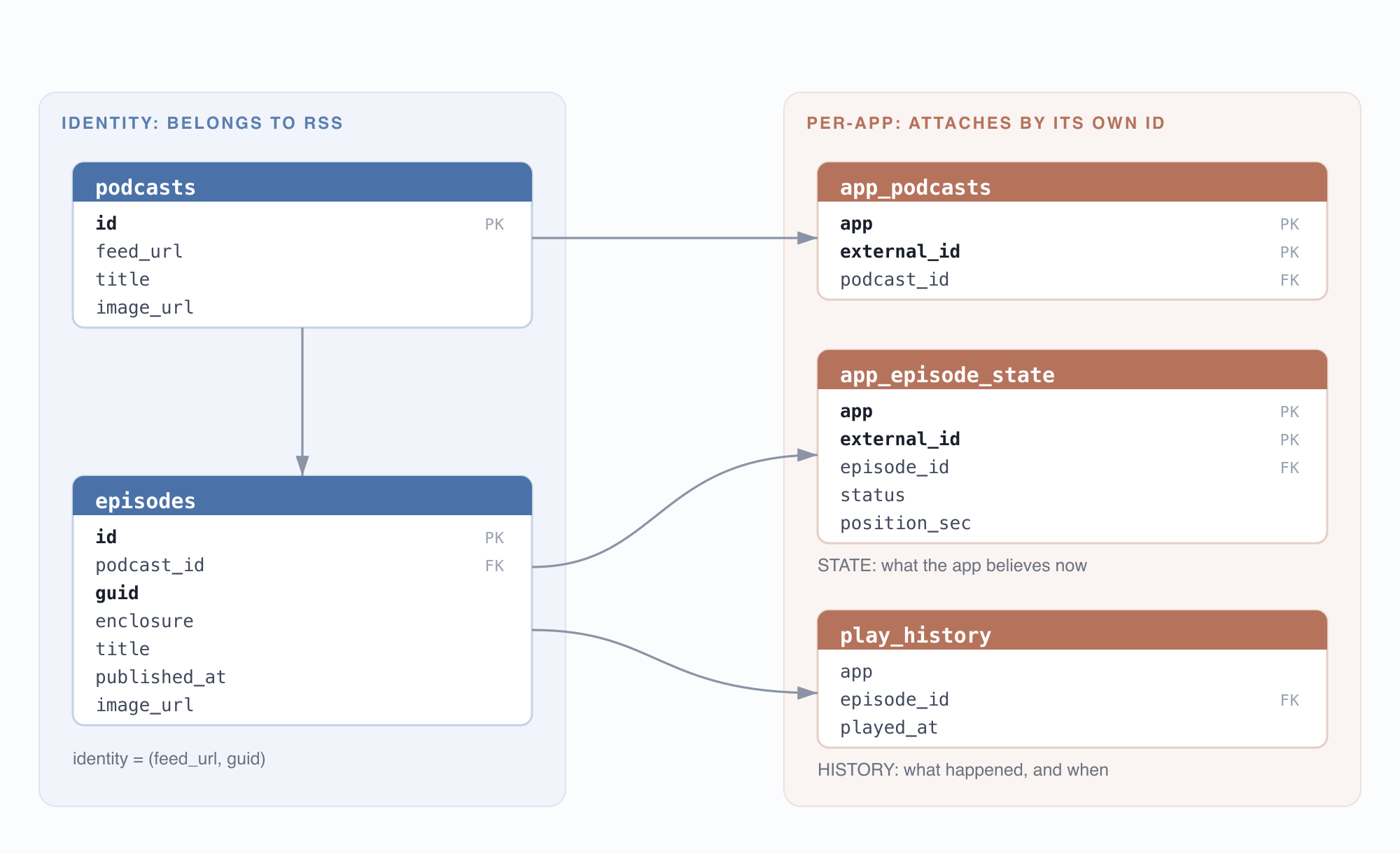
You can think about this data model2 if you’re old school, or just tell Claude Code to figure it out. The point is we can have multiple rows for each episode that represent each app, allowing us to merge the different libraries together as needed and also split them apart.
Once you’ve set up your database, you want to write a Python script for each app to map it into your new database format, along with any needed business logic to bridge the GUIDs as needed for the relevant apps above. I did something very similar a few years back and it was very painful. I spent hours on tests to ensure the data all translated cleanly, building the business logic to parse and compare the XML, etc. It’s completely wild that Codex or Claude Code can just knock this stuff out for us in a way that truly makes 2022 feel like the dark ages. Here’s a sample of how these scripts work. The linked code is definitely slop, and it will likely be easier to generate them yourself but feel free to use it as a reference or give it to an LLM to help it understand the concept.
Your beautiful library
Once you have your databases and run your ingestion, you’ll have your full podcast listening history all to yourself and free of any app. You can just stare fondly into the eyes of your SQLite tables if you want, but there are probably more interesting things we can do. We can make an HTML viewer like this:
We can also graph listening over time, build a cover flow, or create a GitHub-style daily chart. (These are seed with fake data for prettier visuals.)


Now when I want to know if I’ve listened to an episode before, I can search on my desktop instead of going through all the different apps. This is extremely useful for shows like Casefile and Criminal, where I may have dropped off a few years ago but can’t remember where. I know the longest episode I’ve ever listened to (not surprising it’s Dan Carlin), and that I’ve completed 9,931 episodes across 886 shows! Stay tuned for number 10,000!
What next?
One thing you might want to do is update your local library regularly. Castro does a daily backup to your iCloud drive, which makes setting up some kind of script to regularly ingest your listening fairly straightforward. Any podcast app that lets you do regular backups to Google Drive, etc., would allow you to keep your external library updated.
At some point, you’ll probably want to pull this library into a podcast app to actually make it useful. If you use Castro, the MCP will help build a backup file that contains all your listening history from forever. I would highly recommend that option. If you want to export your full library into another app, your best bet is going to be AntennaPod or one of the other apps that include RSS feed URLs and GUIDs within the database itself. You can presumably just use the initial database you exported from that app as a guide, and build up your new database using the same schema. Then just import right back into the app. For an app that relies on its own IDs, it’s going to be a little more involved, but it’s certainly possible. Whatever you do with it, you’ll now have a fully external backup, and you’ll know your data is safe no matter what happens to the app you’re using.
I did a version of this project a few years ago, but it was very difficult at the time to do all this data wrangling and mappings between IDs. It was very tedious to write scripts that mapped one simple SQLite schema to another. The world has changed quite a bit, and now this stuff is way more fun. Using Claude Code I was able to do the whole project in a couple of hours.
One note for the careful reader: podcasts often have more than one URL over their lives, so you’ll likely want another table of feed urls to account for this. Even in the simplest case, one app may have been using http://example.com/feed while another might’ve been looking at https://example.com/feed, so you'll almost certainly need some business logic around duplicates.